The problem
Surprisingly, networkx—the most popular Python package for network analysis—didn’t render proper arrows when drawing directed graphs. Instead, it used rectangular markers to indicate edge direction.
As a regular user, I wanted to fix this and contribute back to the open-source community.
The contribution
The workflow was straightforward:
- I opened an issue on the networkx GitHub repo
- After the maintainers confirmed it was worth pursuing, I submitted a pull request
- After some review and discussion, the code was merged
Before:
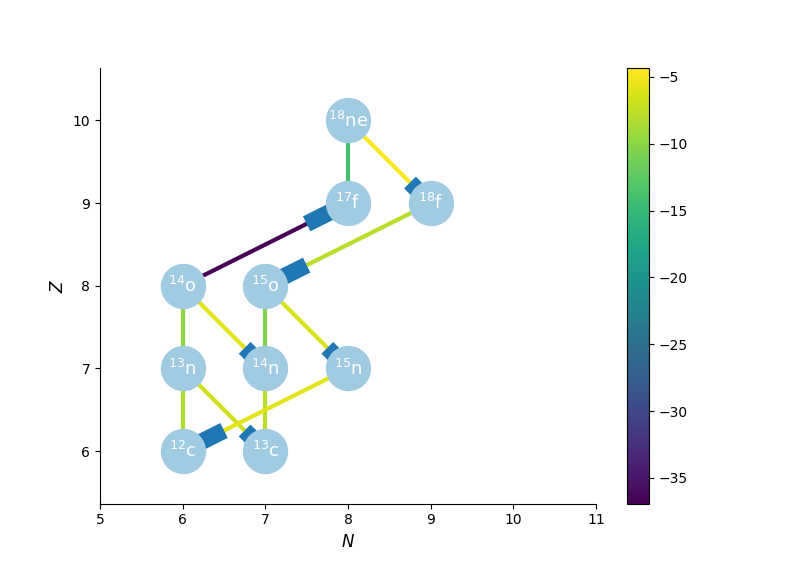
Figure 1: Directed network rendering before the fix.
After:
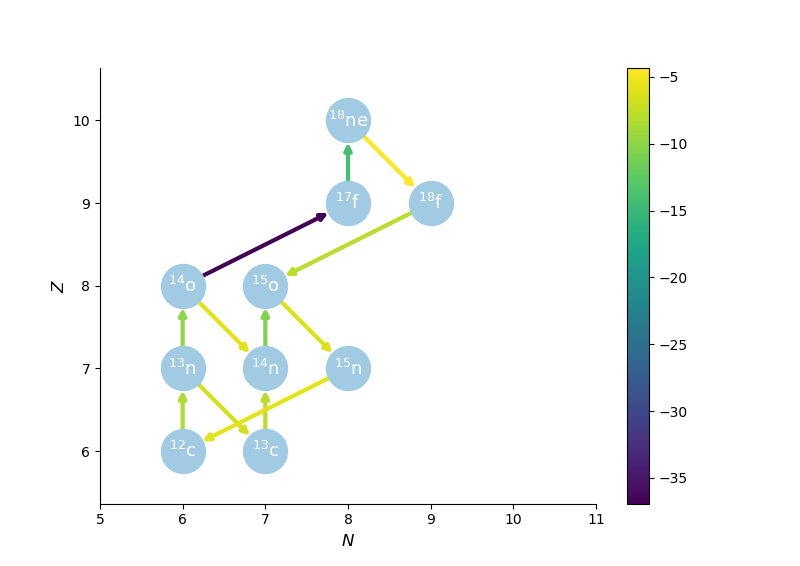
Figure 2: Directed network rendering with proper arrows.
Working on this contribution taught me a lot about the internals of networkx’s drawing code and matplotlib more broadly. Contributing to an open-source project is one of the best ways to improve as a programmer.